
HomeLab UPS External Battery Pack Compatibility — Approved Packs versus a Rack LiFePO4 Module
A HomeLab, home AI server, or small GPU rack often already sits on a consumer or small-business uninterruptible power supply (UPS). When the internal battery is exhausted too soon, the next search is usually for a rack-mount battery or server rack battery that can serve as an external battery pack. That is a real procurement question. It is not the same question as sizing a new cabinet for a data hall, and it is not answered by the fact that a LiFePO4 module slides into a 19-inch rack.
This page is a compatibility and enquiry checklist for buyers who already have a UPS, or who are about to buy one, and want to know whether a 48 V or 51.2V rack LiFePO4 pack can extend it. LJY Energy supplies LiFePO4 battery packs, including 19-inch rack modules. We do not sell a dedicated “AI UPS,” we do not certify packs against named UPS brands, and we do not claim universal compatibility. Nothing on this page is a wiring, adapter, or modification procedure.
Short answer
- An external battery pack, extended battery module (EBM), or XL battery pack in a UPS manual is a manufacturer-defined accessory. It is not a generic 19-inch energy-storage module.
- A 19-inch chassis and a “48 V” label do not make a pack electrically compatible with a UPS external-battery connector. Schneider Electric’s Smart-UPS On-Line (SRT) compatibility FAQ, last modified 4 June 2026, lists different total battery voltages for different models, including 48 VDC, 72 VDC, 96 VDC and 192 VDC, and it notes that each external battery pack has a keyed mating connector that is only compatible with its corresponding UPS.
- Official lithium UPS accessories may use a different chemistry and a different nominal voltage than a 16S LiFePO4 rack module. The APC Smart-UPS Ultra external pack SRTL50RMBP1U-LI is documented at 50.4 V. A typical 16S LiFePO4 rack module is 51.2V nominal. Those figures look close on a datasheet and are not interchangeable without the UPS maker’s approval.
- Schneider Electric’s installation guide for that Ultra pack says to use only APC external battery packs, not to use third-party battery packs, and that a pack not approved by Schneider Electric will not be detected, may adversely affect operation, and will void the manufacturer warranty.
- Eaton states that VRLA and lithium-ion batteries cannot be mixed on the same 9PX deployment, and that the 5P rackmount lithium-ion UPS is not compatible with EBMs. Eaton’s 9PX Gen2 lithium EBM quick start guide states that the power cord between the UPS and the EBM must be provided by the original manufacturer, not other manufacturers.
- A CyberPower Smart App Sinewave user manual describes the external battery pack connector as a connection for additional CyberPower external battery packs. Treat that wording as model-specific until the exact UPS manual says otherwise.
- A rack LiFePO4 module is not a server-level or OCP battery backup unit (BBU). Transfer time, charge voltage and current, communications, and orderly shutdown have to be confirmed as a system. Do not jump DC into a UPS battery port to “make it work.”
What buyers are actually asking
The search phrases overlap; the jobs do not. Keep synonyms on the page that belongs to the job, and do not create a second URL for the same job.
| Buyer phrasing | The actual job | Where this site already covers it |
|---|---|---|
| HomeLab UPS, home lab UPS, NAS UPS, expand UPS runtime, external battery pack, EBM, XLBP | Attach approved runtime to an existing UPS, or decide that the UPS cannot take a third-party pack | This page |
| Home AI server backup, GPU workstation backup, HomeLab battery backup — peak power, transfer, shutdown, runtime | Size and verify a backup system so the host survives a transfer and shuts down cleanly | Existing home AI server battery backup sizing guide, plus the offline shutdown and runtime-verification module prepared for that page |
| Rack-mount battery, server rack battery, 19-inch LiFePO4 module | A form-factor energy-storage module. Same product class can serve solar, inverter, or a designed backup system. Form factor is not UPS compatibility | 51.2V rack mount LiFePO4 battery product page, and this compatibility checklist when the buyer hoped to use the module as a UPS EBM |
| AI or GPU rack sized in kilowatts | Module count and runtime for a commercial or high-power rack, starting from measured IT load | AI GPU server rack LiFePO4 battery |
| Edge or micro data-centre cabinet, temperature plus kW | One-cabinet backup with charge and discharge temperature limits | Edge AI micro data centre LiFePO4 battery |
| Cabinet-level integrator selection; rack module versus rack-level BBU; facility string work | Specify a cabinet or row battery behind a UPS or inverter, not a HomeLab EBM drop-in | Server rack LiFePO4 battery buying guide |
An official external battery pack is a UPS accessory, not a generic rack battery
UPS manufacturers sell extended runtime as a matched accessory. The pack is expected to present the voltage, connector, identification or detection signals, and charging behaviour that the UPS firmware and charger already know. Schneider Electric’s SRT FAQ tells the reader to stop if a connector is binding or requires excessive force, and to check compatibility rather than force the fit. Eaton’s Gen2 lithium EBM documentation describes a battery power cable with an attached battery-detection cable, and it requires the manufacturer’s own cord.
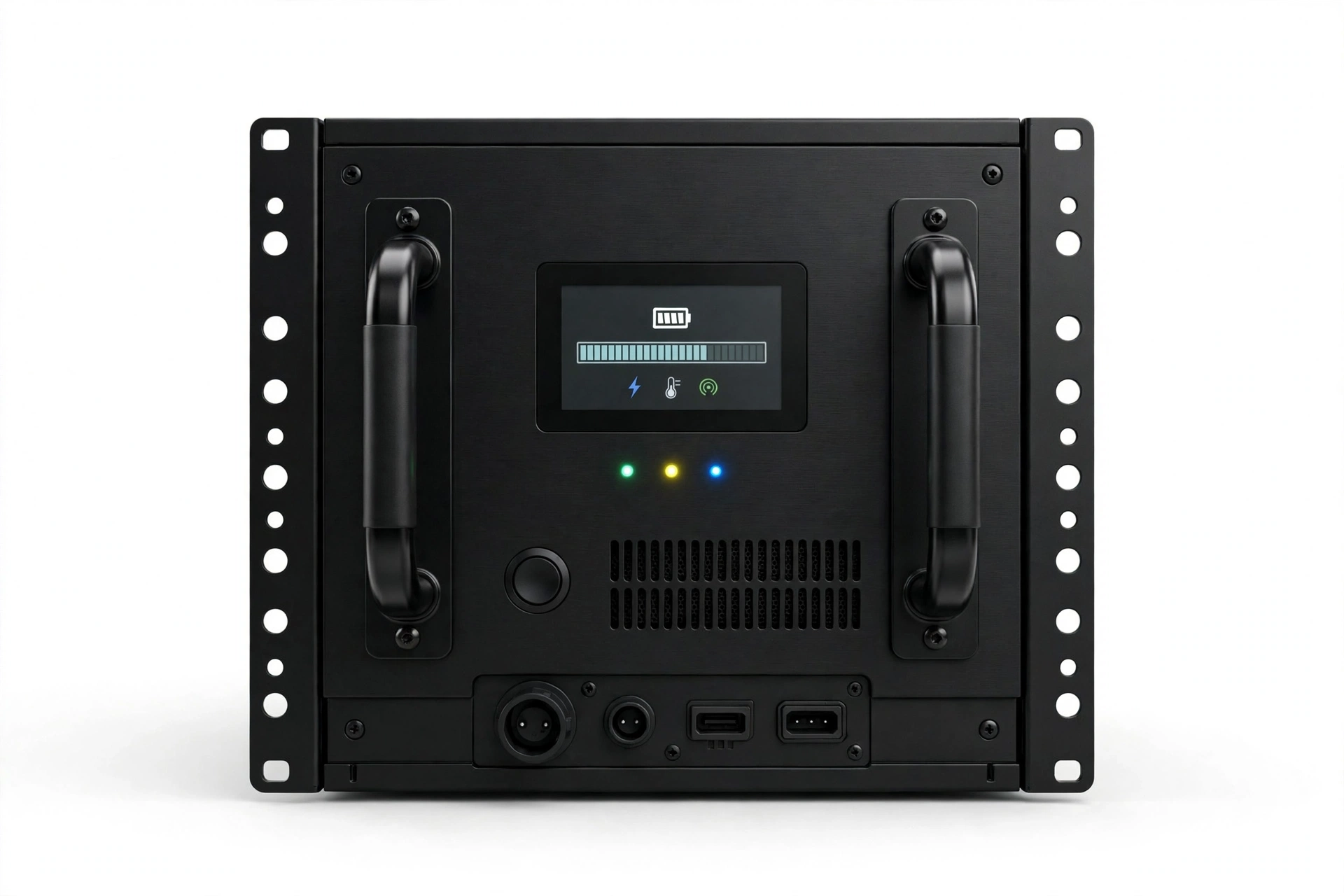
A typical 19-inch LiFePO4 rack module is designed as energy storage for an inverter or energy-management system. The public 51.2V rack module page lists CAN and RS485 for inverter integration, a 16S 51.2V nominal architecture, and project-confirmed protocols. Those interfaces are not a substitute for a UPS EBM connector or for the UPS maker’s pack-identification scheme. A pack can be the right width for the same rack and still be the wrong electrical device.
A 19-inch form factor is not electrical compatibility
HomeLab photos make this easy to miss: the UPS is rack-mounted, the battery is rack-mounted, and both may be described as “48 V class.” Confirm the following as a system, not as a visual match.
| What looks similar | What actually has to match | Status |
|---|---|---|
| Both units are 19-inch rack mount | The UPS manual’s approved EBM or XL pack list for that exact model | Form factor is not approval |
| A “48 V” or “48 V class” label | The UPS’s documented total battery voltage. Schneider’s SRT table includes 48 VDC, 72 VDC, 96 VDC and 192 VDC families | Copied from the UPS manual |
| A lithium pack whose nominal voltage is near the UPS bus | Chemistry, charge algorithm, and the approved SKU. The official Ultra pack SRTL50RMBP1U-LI is listed at 50.4 V and 18.85 Ah. Schneider’s SRT lithium models SRT1000UXI-LI and SRT1500UXI-LI are described as lithium-ion NMC chemistry and, in the same FAQ, “do not support any other make/type of battery packs,” with XBP48RM1U-LI as the listed external pack | Official SKU only, unless the maker documents another path |
| Front-panel power terminals on a rack module | The keyed UPS connector, any detection or communications conductors, and the official cable | Do not adapt or re-pin |
| CAN or RS485 for an inverter | The UPS’s pack-detection or battery-management path, and the host shutdown path (USB, serial, or a network management card) | Confirmed per system |
| The UPS charger is “just a DC supply” | Charge voltage, current, temperature compensation, and whether the UPS is programmed for VRLA or for its own lithium pack | Confirmed in the UPS manual and charger settings |
51.2V is not “close enough” to 50.4 V. It is not close enough to a 48 V VRLA string, and it is irrelevant if the UPS in the rack is actually a 72 V, 96 V or 192 V machine. Matching the rack unit height does not repair a voltage or communications mismatch.
What UPS makers publish about approved packs
The following points are taken from official manufacturer pages and manuals. They are examples of how makers constrain compatibility. They are not a complete matrix, and they are not a LJY test report. Always re-read the manual for the exact UPS model and revision you have; accessory lists change.
- Schneider Electric / APC Smart-UPS Ultra pack SRTL50RMBP1U-LI. The installation guide, © 2026 Schneider Electric, document reference SPD_SUO-IM-990-6331_EN, states: use only APC external battery packs; do not use third-party battery packs; do not use an external battery pack that is not approved by Schneider Electric; the system will not detect a non-approved pack and may adversely affect operation; use of a non-approved pack will void the manufacturer warranty. The same guide lists the pack at 50.4 V and 18.85 Ah, with one battery module, and it tells the reader not to use the external battery pack to power other equipment. The public product page states that the pack is compatible with SRTL3K and SRTL2K2 Smart-UPS Ultra models and that up to five external battery packs can be combined. That “up to five” figure is for those Ultra models, not a generic lithium-pack rule.
- Schneider Electric Smart-UPS On-Line (SRT). FAQ FA349747, last modified 4 June 2026, assigns official XL battery packs by voltage family and connector colour, and it warns that a keyed connector should not be forced. For the lithium models SRT1000UXI-LI and SRT1500UXI-LI, the listed pack is XBP48RM1U-LI, with the note that the UPS does not support any other make or type of battery packs. Those lithium SRT models are described in the same FAQ as lithium-ion NMC chemistry. That is not LiFePO4, and it is not a 16S 51.2V rack module.
- Eaton lithium-ion UPS FAQ. Eaton states that VRLA and lithium-ion batteries cannot be mixed in a deployment: a lithium-ion EBM cannot be used with a VRLA 9PX UPS, and a VRLA EBM cannot be used with a lithium-ion 9PX UPS. The same FAQ states that up to ten extended battery modules can be deployed with the 9PX rackmount lithium-ion UPS, and that the 5P rackmount lithium-ion UPS is not compatible with EBMs. Individual user guides may list a different EBM limit for a given SKU. Use the manual for the exact model. The FAQ also lists which Eaton UPS families are offered with lithium-ion batteries; a UPS that is merely the same series name without the lithium suffix is not thereby approved.
- Eaton 9PX Gen2 lithium EBM quick start guide. The guide states that the connected power cord between the UPS and the EBM must be provided by the original manufacturer, not other manufacturers.
- CyberPower Smart App Sinewave series user manual (models including PR1000LCDRTXL2Ua, PR1500LCDRTXL2U and PR2200LCDRTXL2U). The external battery pack connector “provides a connection for additional CyberPower external battery packs for extended runtime.” The manual does not describe that connector as a general interface for third-party lithium racks. Confirm any other CyberPower model from its own manual.
These publications are consistent on one procurement point: the approved path is the maker’s pack, cable and, where lithium is offered, the maker’s lithium UPS or EBM family. They do not authorise a 19-inch LiFePO4 module as a universal external battery pack.
Charge, communication and shutdown still need a system
Even when two boxes share a rack, four electrical questions remain. None of them is answered by a photograph.
- Charging. The UPS charger may be a valve-regulated lead-acid float and boost profile, or a profile written for the maker’s own lithium pack. A third-party LiFePO4 BMS has its own charge-voltage window, current limit and temperature inhibit. If those windows do not match, the pack can be overcharged, undercharged, or held offline by its own protection. Official lithium UPS families include a matched charging and battery-management path. That path is not something to improvise on the DC connector.
- Communications and detection. Official EBMs often carry a detection or identification circuit, not only power conductors. Eaton’s Gen2 lithium documentation describes a detection cable attached to the battery power cable. Schneider’s Ultra guide states that a non-approved pack will not be detected. A silent or mis-identified pack can produce wrong runtime estimates, failed self-tests, or a charger behaving as if no battery were present.
- Transfer and output. Adding energy does not change the UPS topology. A standby or line-interactive transfer time is still the transfer time in the UPS manual. The existing home AI sizing guide covers why transfer time, not only watt-hours, decides whether a server stays up. A rack battery does not turn a UPS into a different topology, and a battery alone is not a UPS.
- Orderly shutdown. Extra runtime is wasted if the hosts crash when the battery finally reaches cutoff. The UPS needs a documented signalling path (USB, serial, or a network management card) and software that can shut the operating system down before the pack is empty. Vendor tools such as Schneider Electric’s PowerChute Network Shutdown, named in the Ultra pack installation guide as one of the system’s user interfaces, or the open Network UPS Tools
upsmonservice, exist for that job. Configuration belongs in the living sizing page, not in a cable recipe here. Confirm that shutdown is in the bill of materials, and that a test has been run, before you treat runtime as accepted.
This is not a server BBU or an OCP battery
A 19-inch LiFePO4 rack module is cabinet-tier or system-tier energy storage. It is not a rack-level battery backup unit that sits beside a server power supply, and it is not an Open Compute or vendor-qualified server BBU. The server rack buying guide already draws that boundary for integrator projects. The same boundary applies in a HomeLab: a module that shares the rack with a server is still not a drop-in BBU, and it is not a substitute for the UPS that actually transfers the AC load.
Safer procurement paths — no modification steps
If the official UPS documents do not list a third-party or generic 16S LiFePO4 rack module, do not build an unofficial DC connection. The useful choices are architectural, and they stay at the level of what to buy and whom to ask, not how to rewire a live UPS.
- Stay on the UPS maker’s approved accessory list. If the manual lists an official EBM or lithium battery pack, that pack is the compatibility path for that UPS. Ask the UPS manufacturer or its distributor for the current SKU, cable and quantity limit.
- If you need lithium and the present UPS has no approved lithium EBM, the clean path is a UPS family the maker documents as lithium-compatible, together with the matching official EBM. Eaton’s FAQ is explicit that VRLA and lithium-ion cannot be mixed on 9PX deployments, and that some lithium UPS models (the 5P rackmount lithium-ion) do not accept EBMs at all. Changing chemistry without changing to a documented combination is not a shortcut.
- If the energy storage you actually need is a 51.2V rack LiFePO4 bank, treat that as a different system architecture: energy storage designed around that voltage class, with a UPS or a transfer device that the system designer has specified for switchover. The home AI sizing guide already states that a battery alone is not a UPS, and that a 48 V LiFePO4 bank used for long runtime has to sit behind proper transfer logic, not be wired as a silent replacement for the UPS. This page does not add a wiring method for that architecture.
- Do not use this page as a facility VRLA string-swap manual. Replacing a data-room lead-acid string is a different buyer, a different voltage family in many cases, and a different acceptance path. Start from the server rack buying guide for that job.
LJY Energy can quote a 19-inch 51.2V LiFePO4 rack module when the system design calls for that voltage class. A quotation is not an approval to attach the module to a named UPS battery port, and it is not a certificate of compatibility.
What to send when you enquire
Use the existing contact page. Include, if you already have them:
- UPS brand, exact model, and firmware or revision if known
- whether the manual lists an external battery connector, and the official EBM or XL pack SKUs
- the documented battery voltage, and connector type or colour if the manual names one
- measured peak and typical load, the runtime you want, and whether the hosts must shut down cleanly
- whether you are asking for a 51.2V rack pack as part of a separately designed system, or whether you had hoped to attach it to the UPS battery port
If the second case is the only case, say so plainly. The honest answer may be that LJY cannot supply an approved EBM for that UPS, and that the UPS maker’s accessory list is the right source. That is still a useful enquiry. It is better than an unofficial adapter.
What this page does not decide
- It does not publish a LJY compatibility matrix for APC, Eaton, CyberPower, Vertiv, or any other UPS brand.
- It does not claim that any LJY pack is certified, listed, or universally compatible with a UPS external-battery port.
- It does not recommend mixing chemistries, forcing connectors, or modifying charger settings.
- It does not introduce a LJY-branded AI UPS or a new backup appliance. The product on offer remains the existing pack range, quoted per project.
- It does not estimate search volume, market size, or how many HomeLab buyers will place an order.
Frequently asked questions
Can a 51.2V rack LiFePO4 pack plug into a 48 V UPS external battery port?
Not unless the UPS manufacturer documents that exact combination. Voltage class, connector, communications and charger must all match. A “48 V” label is not enough. Some official lithium packs in the same voltage neighbourhood are specified at 50.4 V and are still only for listed UPS models. Many UPS families are not 48 V at all.
My UPS and the battery are both 19-inch rack units. Are they compatible?
Not on that basis. 19-inch is a mechanical standard. Electrical compatibility is a documented accessory relationship.
Can I keep the UPS’s internal VRLA and add a lithium rack pack for more runtime?
Eaton states that VRLA and lithium-ion batteries cannot be mixed on a 9PX deployment. Other manufacturers may have their own rules. Do not assume that mixing is safe or that the charger can serve both chemistries at once.
Does LJY make an approved APC or Eaton EBM?
This page does not claim that. Ask for a pack quotation when the system design calls for a 51.2V rack module, and send the UPS model so the enquiry can be scoped honestly. If the need is an official EBM, buy the SKU the UPS maker lists.
Is this the same as replacing a data-centre VRLA string?
No. Facility string replacement is a different project, usually with different voltages, cabinets and acceptance tests. Use the buying guide for that path, not this HomeLab checklist.
Sources
- Schneider Electric, “Which External Battery Pack (XLBP) and RBC is compatible with my Smart-UPS On-Line (SRT) model?,” FAQ FA349747, published 24 May 2018, last modified 4 June 2026. https://www.se.com/us/en/faqs/FA349747/
- Schneider Electric, Installation Guide: Smart-UPS Ultra External Battery Pack SRTL50RMBP1U-LI, document reference SPD_SUO-IM-990-6331_EN, © 2026 Schneider Electric. Official download: https://download.se.com/files?p_Doc_Ref=SPD_SUO-IM-990-6331_EN
- Schneider Electric product page, “APC Smart-UPS Ultra Lithium-Ion Battery Pack 1U,” SKU SRTL50RMBP1U-LI. https://www.se.com/us/en/product/SRTL50RMBP1U-LI/apc-smartups-ultra-lithiumion-battery-pack-1u/
- Eaton, “Lithium-ion UPS FAQ.” https://www.eaton.com/us/en-us/products/backup-power-ups-surge-it-power-distribution/backup-power-ups/lithium-ion-batteries-/lithium-ion-ups-faq.html
- Eaton, 9PX G2 lithium-ion UPS EBM quick start guide. https://www.eaton.com/content/dam/eaton/products/backup-power-ups-surge-it-power-distribution/backup-power-ups/eaton-9px-ups/9pxg2/manuals/eaton-9px-g2-lithium-ion-ups-ebm-quick-start-guide.pdf
- CyberPower, Smart App Sinewave Series user manual, models PR1000LCDRTXL2Ua / PR1500LCDRTXL2U / PR2200LCDRTXL2U. https://dl4jz3rbrsfum.cloudfront.net/documents/CyberPower_UM_PR2200LCDRTXL2U.pdf
- Network UPS Tools,
upsmon(8)andupsdrvctl(8)manuals, for the existence of a host-side shutdown path. https://networkupstools.org/docs/man/upsmon.html, https://networkupstools.org/docs/man/upsdrvctl.html
Source limitation: the Schneider FAQ and Eaton FAQ were read in full earlier in this work session. A later direct request from this writing environment failed or timed out on those two HTML pages, so current live headers were not re-confirmed at file close. Quotes are taken from the retrieved official text, not from third-party blogs. The CyberPower manual and the NUT pages returned HTTP 200 at file close. Official SKU lists can change; confirm against the current manual for the unit you have.
Related guides
- Home AI server battery backup sizing — peak versus average load, UPS topology and transfer time, and why a battery alone is not a UPS
- AI GPU server rack LiFePO4 battery — kW-first module count for commercial AI and GPU racks
- Edge AI micro data centre LiFePO4 battery — one-cabinet kW and temperature limits
- Server rack LiFePO4 battery buying guide — integrator cabinet selection; rack module versus rack-level BBU
- 51.2V rack mount LiFePO4 battery — current rack-module product page
Send the UPS model and the runtime target on the contact page
Send the UPS model and the runtime target on the contact page · WhatsApp +86 159 8945 0735